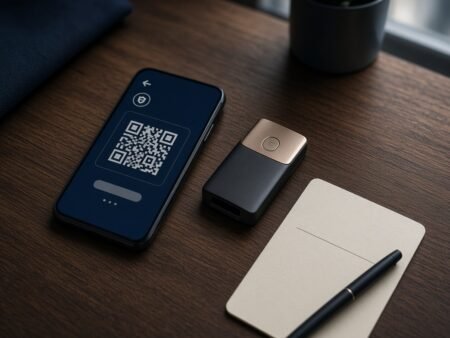
A plain walkthrough for a first crypto wallet. Hot vs hardware, seed phrase on paper, official download links only.
What a crypto wallet actually is
You need a wallet before you send Bitcoin or USDT to a casino. The casino is not your wallet. If that tab disappears, the coins on the site sit with the operator. A wallet you control is the bit you take home.
This is the setup most people should do once, slowly, on a quiet evening. Not on public Wi-Fi. Not while a Telegram “support” account is walking you through it.
A wallet does not store coins in the app. It stores keys. Those keys let you sign a send on the blockchain. Lose the keys and the coins are still on-chain. You just cannot move them.
Two families matter:
- Hot wallet. An app or browser extension. Free. Fine for small balances and casino deposits.
- Hardware wallet. A small device from Ledger or Trezor. Keys stay on the device. Better once the stack is money you would hate to lose.
An exchange account (Coinbase, Binance, Kraken) is custodial. They hold the keys. Fine for buying coins. It is not the same as a wallet you own. For casino deposits, withdraw from the exchange to your own wallet first, then send from there. One extra hop. Fewer nasty surprises.
Pick one wallet and stick to it for week one
If you play on Ethereum, USDT on ERC-20, or most “EVM” casino cashiers, start with MetaMask from metamask.io.
If you live on your phone and want many coins in one app, Trust Wallet from trustwallet.com.
If you are on Solana, Phantom from phantom.app.
Download only from those domains or the official listing they link to in the App Store / Google Play. Fake wallets are a whole industry. A sponsored ad at the top of search is often the fake.
How to create the wallet (MetaMask, 10 minutes)
Same idea in Trust Wallet and Phantom. Buttons have slightly different labels.
- Install the official extension or app.
- Choose Create a new wallet. Do not import unless you already have a seed from a wallet you trust.
- Set a password. That password only unlocks this install on this device. It cannot rebuild the wallet on a new phone.
- When it offers a Secret Recovery Phrase / seed phrase, write the words on paper. Twelve or twenty-four words. Exact order. Number them.
- Confirm the words in the app.
- You should now see a receive address. That long string starting with 0x (Ethereum) is safe to share when you want to get paid. The seed phrase is not.
MetaMask may also offer a Google or Apple login on the extension. That is easier. The seed phrase path is the one you can restore anywhere if the laptop dies. If you only care about not getting locked out, use the phrase.
The seed phrase is the wallet
Anyone who has those words can empty the account. Support will never ask for them. A casino will never ask for them. A PDF “verification” form that wants the phrase is theft.
- Paper. Two copies if the stack is large. Separate places.
- No screenshot. No Notes app. No Google Doc. No password manager photo album.
- No “I will do the backup later.” Later is how people lose the lot.
Lose the paper and there is no helpline. That is the trade for not giving a bank the keys.
Hardware wallet, short version
Buy Ledger or Trezor from the maker’s own shop. Not a marketplace listing with “open box” in the title. If a device arrives with a seed already printed in the box, send it back. You generate the words on the device.
Set a PIN on the device. Write the words it shows. Pair it with Ledger Live or Trezor Suite from the official site. You can still use MetaMask as the screen while the device has to tap every send.
Get an address and send a test
Tap Receive. Copy the address. Check the first six and last six characters after you paste. Networks charge a fee and they do not undo a send to the wrong chain.
USDT on Tron is not USDT on Ethereum. Bitcoin is not wrapped BTC on another network. The casino cashier will say which chain it wants. Match that chain in the wallet before you hit send.
First transfer: a small amount you can shrug off. Wait for confirmations. Then send the rest. This is boring. Boring is the point.
Using the wallet with a crypto casino
Create the casino account. Open Cashier / Deposit. Copy the deposit address they show for that coin and that network. Send from your wallet. Wait. If the site asks for a transaction ID, grab it from the wallet history.
Withdrawals go the other way: paste YOUR receive address into the casino. Send a test out before you request the full stack. KYC can pause a large cash-out even when the deposit was instant. That fight is with the casino, not with MetaMask.
Gambling Gods does not hold your coins and cannot reset a seed phrase.
Mistakes that wipe people out
- Installing the wallet from an ad.
- Typing the seed into a website that “validates” it.
- Keeping the only copy of the words in a camera roll.
- Sending on the wrong network because the ticker looked the same.
- Approving a random token spend in the wallet and ignoring the prompt.
FAQ
Is a crypto wallet free?
Software wallets are free. You pay network fees when you send. Hardware wallets cost money up front.
Can I use the same wallet at Stake, Rollbit or 500 Casino?
Yes, if the cashier accepts that coin and network. The wallet is yours. Each casino is just another address you send to.
What if I already bought coins on an exchange?
Withdraw them to the new wallet on the matching network. Then deposit to the casino from the wallet. Read the chain label twice.
Do I need a wallet if I only play with a card?
Not for that cashier. You still want one if you plan to cash out in crypto.
Last updated 3 September 2026. 18+ only. This is not financial advice. Check local law before you buy or send crypto.